Music, maps and followers
Tunly is a mobile app that shows what people around the world are listening to, in real time, on an interactive globe.
Drop in on someone, hear what they have on, and connect with people who share your taste.
What you can do
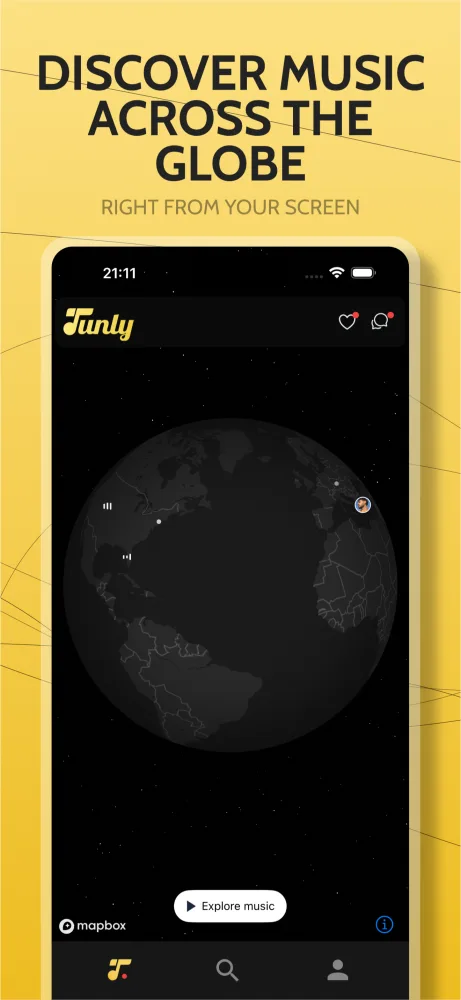
Discover music around the world
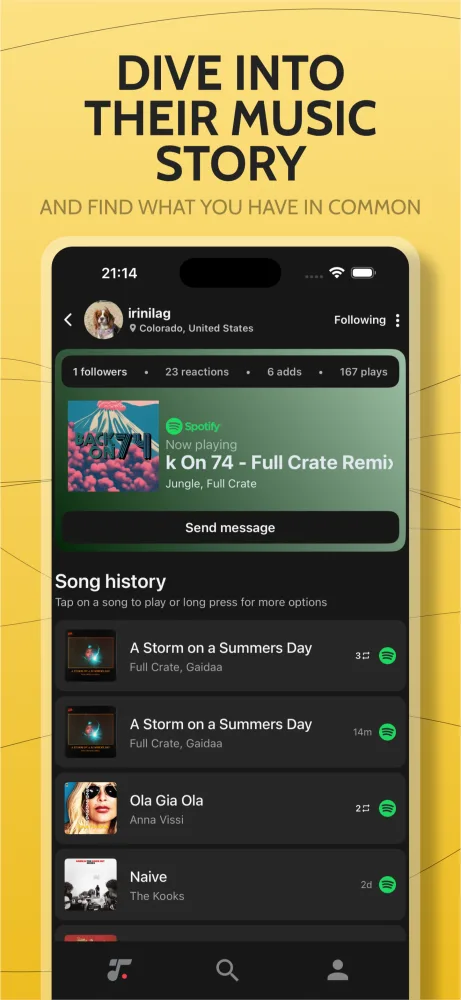
Spin the globe and see what people are listening to, anywhere on Earth, as it plays.
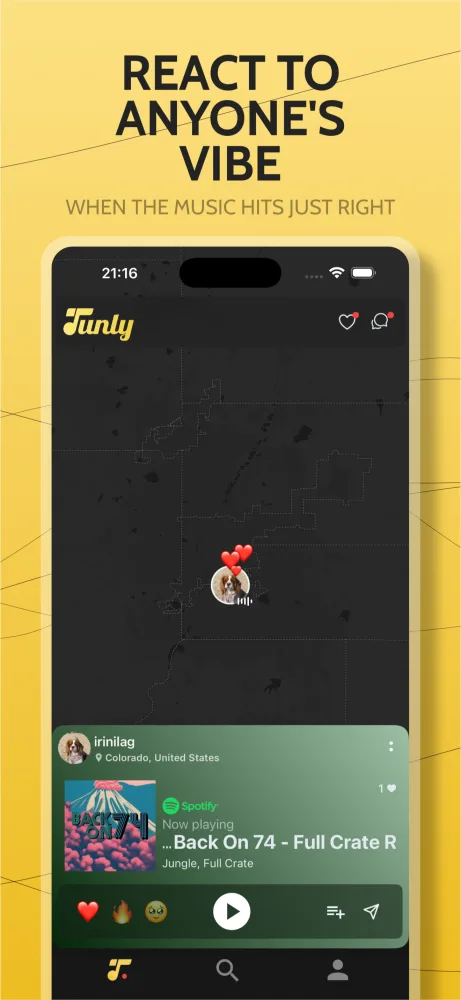
React to songs
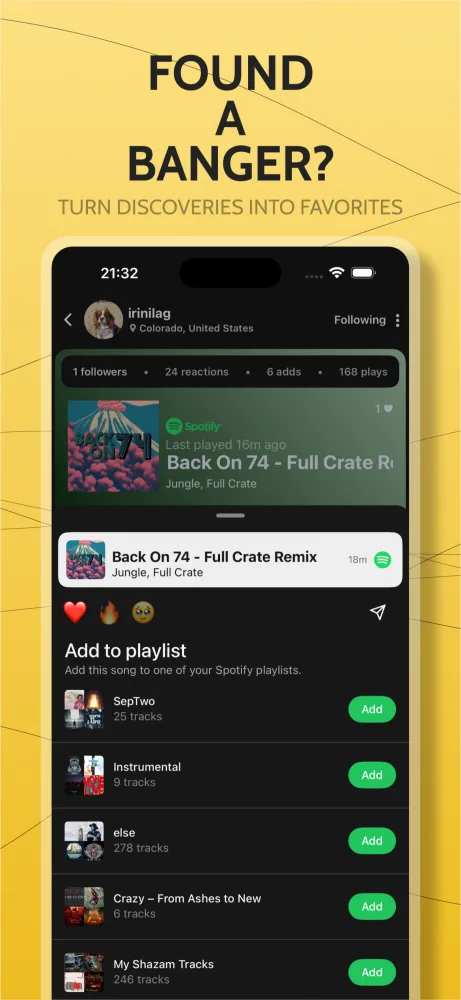
Send a reaction to what someone is playing, and get a nudge when someone reacts to yours.
Chat about the track
Message other listeners, followers and friends privately, starting from the song you both like.
Build a playlist from the planet
Save anything you discover to a playlist put together from people all over the world.
Stay in the loop
Reactions, messages, new followers and activity around you, as it happens.
Disappear when you want to
Add anyone to your “Hide me from” list and they won’t find you on the map.
Make your profile yours
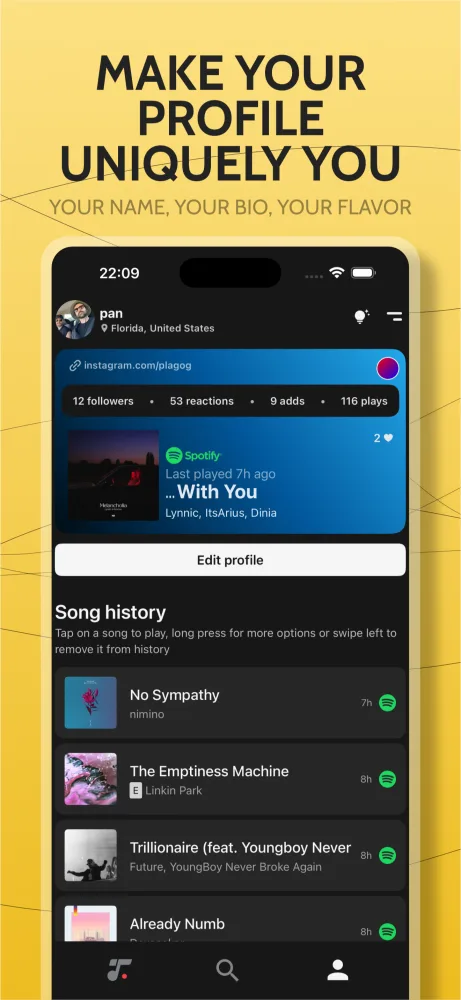
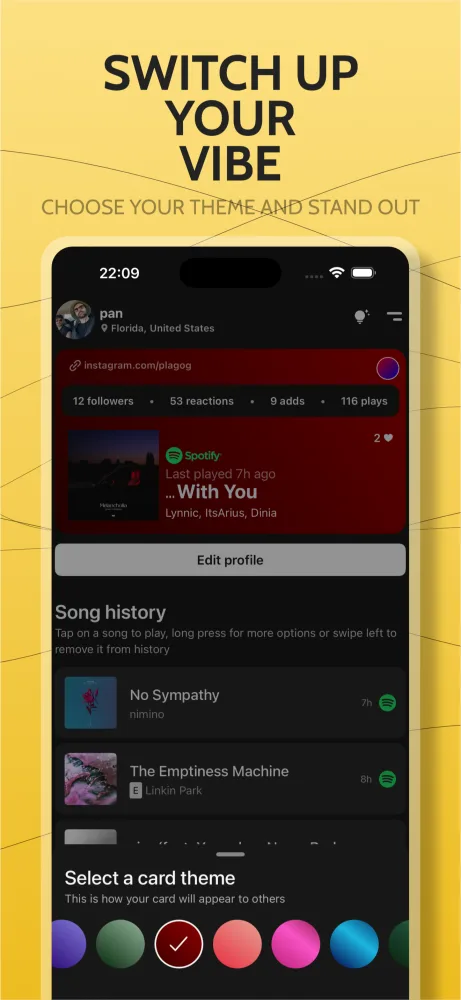
Pick a map card theme and add a display name, picture, bio and links.
Questions and answers
- What is Tunly?
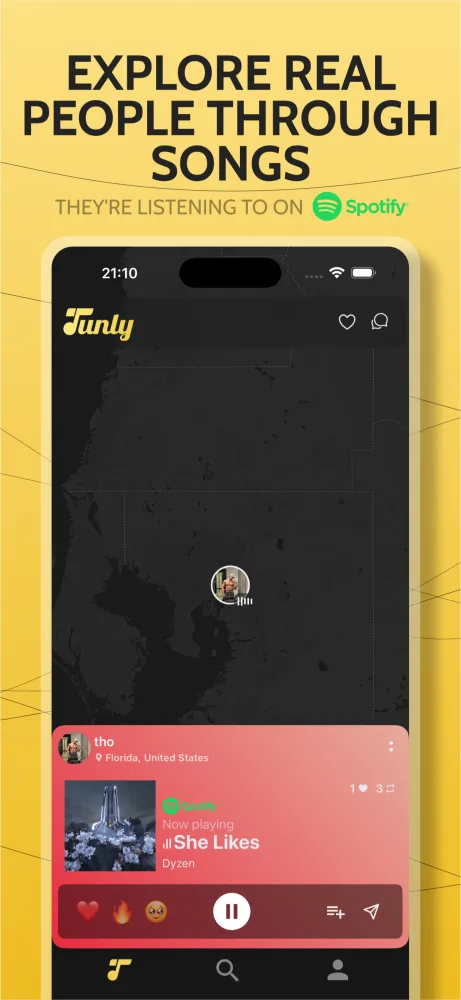
- Tunly is a free music discovery app for iPhone and Android. It shows what real people around the world are listening to on Spotify right now, on a live, interactive globe. You can drop in on anyone, see their song, react to it, follow them and start a chat.
- Is Tunly free?
- Yes. Tunly is free to download and free to use. There is no subscription.
- Which music service does Tunly work with?
- Tunly works with Spotify. Connect your Spotify account and the song you are playing appears on the globe for others to discover. Songs you find on Tunly can be saved straight to your Spotify playlists.
- Where can I download Tunly?
- Tunly is available for iPhone on the App Store and for Android on Google Play.
- Does Tunly show my exact location?
- No. Your position on the map is approximate. It is randomly offset by up to about 2.5 km before it leaves your phone, and you can hide from the map at any time.
- Can I hide from specific people?
- Yes. Add anyone to your “Hide me from” list and they will not find you on the map.
- How old do I have to be to use Tunly?
- Tunly is for people aged 13 and over.
- How do I delete my Tunly account?
- In the app, go to Settings, then Account, and tap Delete Account. Your account is deleted straight away. If you no longer have the app, email [email protected] and we will delete it for you.
Go and listen in.